You know the drill. You want to come in on Thursday to catch your team, so you check one calendar to see who's in, another tab to find a free desk, a separate tool to sort parking, and a form somewhere to register the client who's visiting at two. None of it is hard. All of it is friction. And by the time you've done it, the momentum you had is gone.
There's a simpler way now. It lives right where your team already works. Just ask.
Meet Joan AI in Microsoft Teams
Joan AI is now available in Microsoft Teams. It's a workplace assistant you talk to like a colleague, and it handles your in-office day end to end. No tab-hopping, no forms, no separate apps for each task.
Open a chat with Joan and just ask:
- "Book a desk for tomorrow."
- "Is the Boardroom free at 2 PM today?"
- "Register a visitor named John Doe for tomorrow at 10 AM."
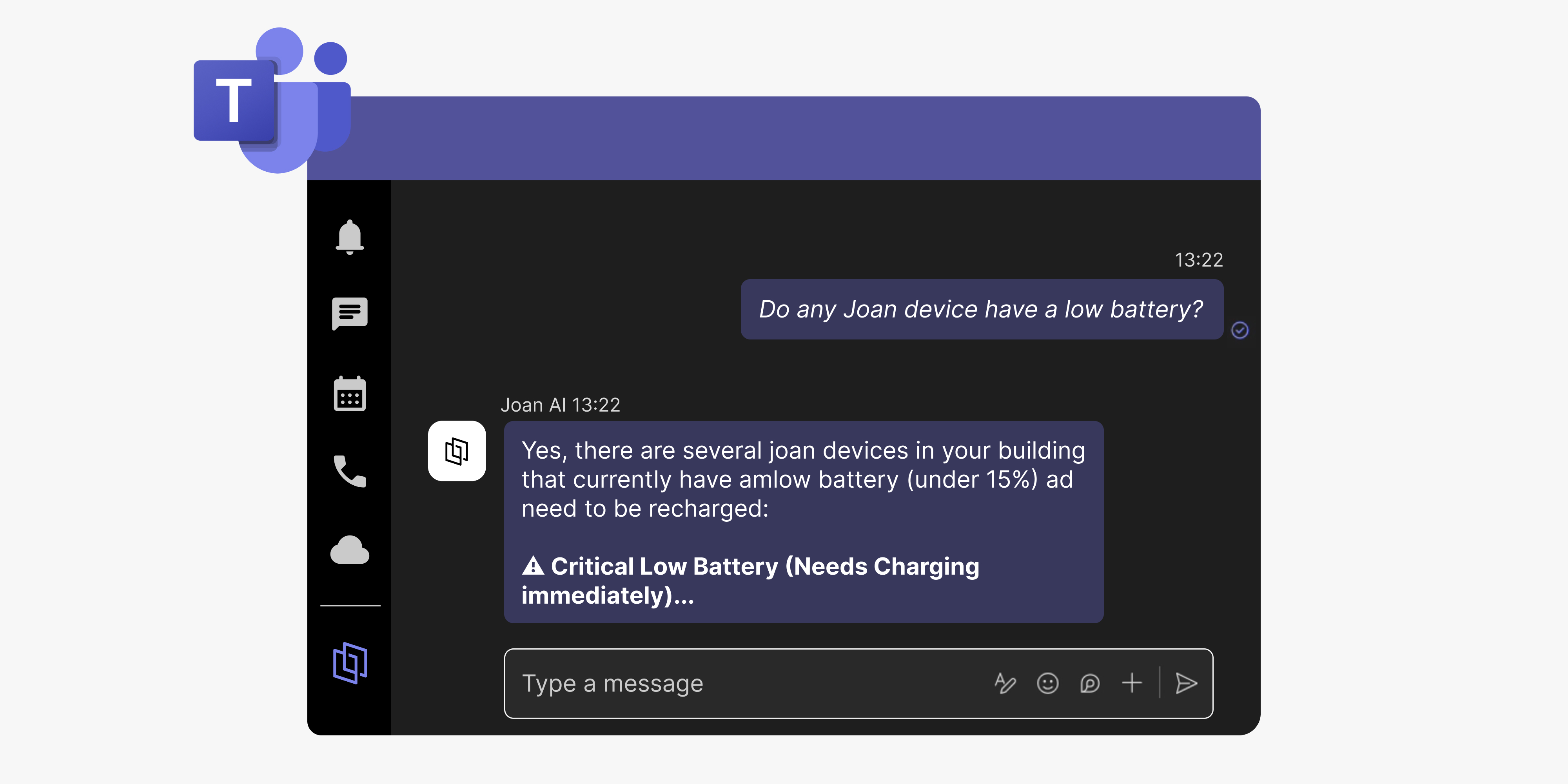
- "Do any Joan devices have a low battery?"
- "Where is Ana sitting today?"
Joan understands what you mean and gets it done against your live workplace. It runs on the same Joan platform your organization already uses, now sitting where your team already talks.
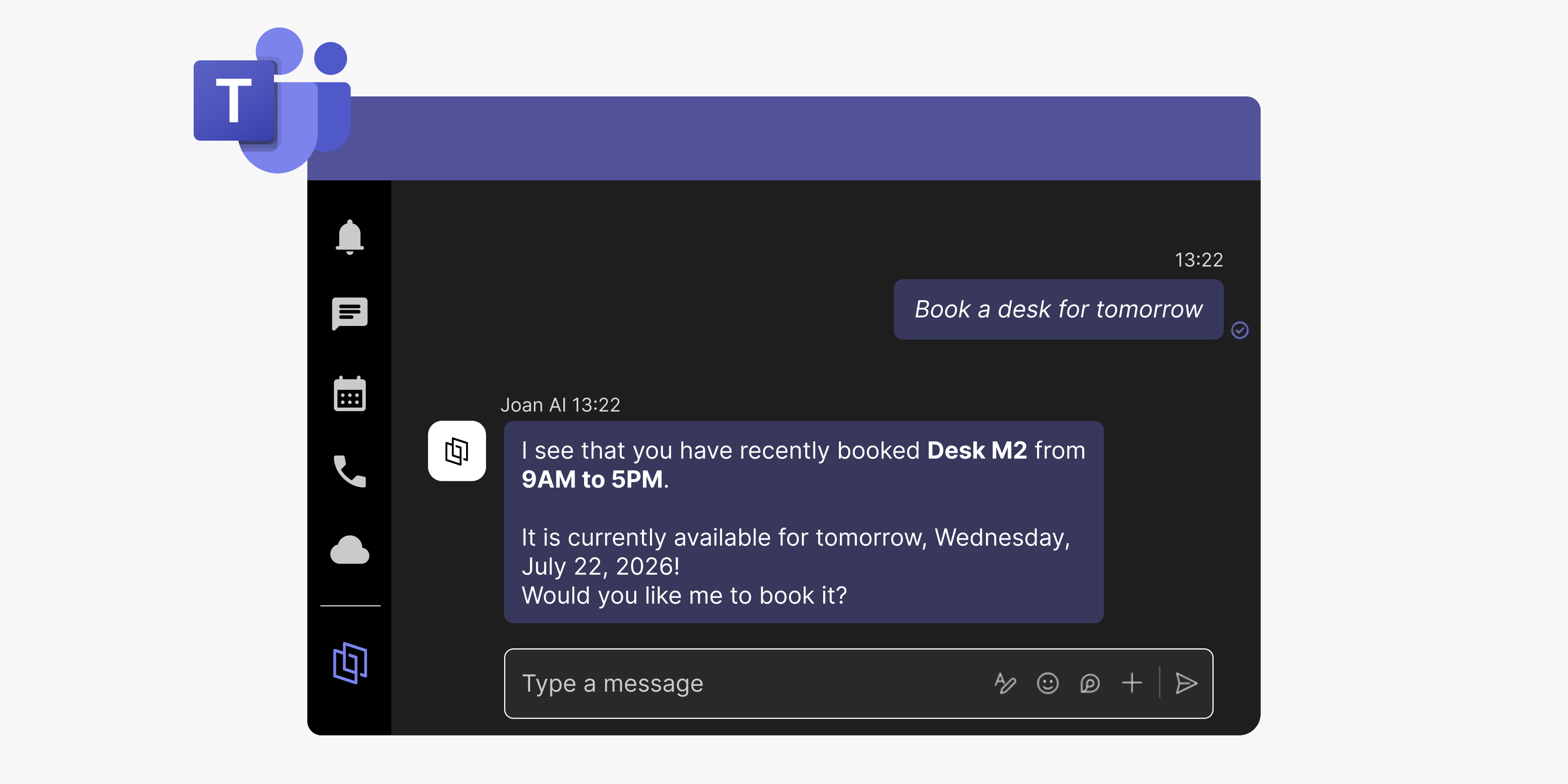
One assistant for your whole day
Joan AI reaches across your entire workplace: desks and rooms, parking and other assets, visitor management, Joan device health, and office information and troubleshooting. One assistant for your day, not a separate tool for every task.
The difference from a plain chatbot is simple: Joan AI doesn't just tell you how to book a desk. It books it.
(One practical note: Joan AI is available via direct messages in Teams; you chat with it 1:1. Channel chat isn't supported.)
What it means for your team
If you're an employee, Thursday planning stops being a ritual. One conversation covers the desk, the room, the parking spot, and the guest. You're done before you've had your coffee.
If you manage the office or facilities, the questions that used to mean opening four tabs now take one message. Who's in today, whether the guest checked in, how the week is shaping up. Ask Joan while you're still in Teams.
If you're in IT, device health stops being something you discover from a complaint. Low batteries and offline displays show up in a sentence, before anyone notices.
And if you're the admin rolling this out: one setup step, and your whole organization gets it.
Where this goes next
We've always thought the workplace should bend to fit the people in it, not the other way around. Putting Joan AI in Teams is a step toward that.
Joan AI will keep getting more capable. New things it can handle, new questions it can answer. A lot of what comes next will come from you: what you're asking it that it can't do yet, what would actually save you time. We read that feedback, and it shapes the roadmap.
So once you're in there chatting with Joan, let us know what you wish it could do.
Getting started takes one step: an admin enables the Joan AI app for your organization in Microsoft Teams, and everyone can start chatting with Joan.
Ready to bring your workplace into the conversation?
Add Joan AI in Microsoft Teams →
New to Joan? Start a free trial.
Insights that keep your office running smoothly
Fresh content on productivity, space management, and the future of work. Perfect for managers, admins, and busy teams.
Join thousands of workplace professionals who already read the Joan blog. Unsubscribe anytime.