Most offices have more bookable resources than employees know about: spare monitors, adjustable desks, conference rooms with good acoustics, parking spots near the entrance, lockers on the right floor. An asset reservation system puts all of it in one place and makes it bookable.
Desk ownership is largely gone. According to CBRE's 2024 Americas Office Occupier Sentiment Survey, only 40% of companies still maintain a 1:1 employee-to-desk ratio, down from 56% the year before, and no organization now targets one desk per employee as a default. Shared desks, shared equipment, shared parking — the office is a pool of resources, not a collection of personal spaces. Without a system to manage that pool, things get double-booked, abandoned, or forgotten entirely.
What is an asset reservation system?
An asset reservation system lets employees find and reserve company resources — desks, meeting rooms, parking spaces, lockers, projectors, bikes, or anything else the company registers in the system — on an as-needed basis. Every reservation goes into a shared database, accessible from a phone or laptop. Employees can see what's available before arriving at the office; managers can see usage patterns across the whole inventory.
The transparency cuts both ways. Employees stop wasting time tracking down resources. Managers stop maintaining spreadsheets that nobody updates.
Four things a good system does
No double-booking. Consider this: Jane asked IT for a spare monitor for her workday. When she gets to the storage room, the shared spreadsheet says Joe has it booked for the next hour. There is no clear answer. With a cloud-based booking solution, Jane and Joe both see who has the monitor and when it's due back. A check-in feature updates availability in real time, so there is no ambiguity.
Asset visibility. The most underused assets are often the ones employees didn't know existed. An asset reservation system lists everything the company has made bookable, which forces a reckoning: is this thing in the system? If not, it might as well not exist. For employees, discovery becomes part of the app rather than a rumor passed between colleagues.
Accountability without micromanagement. If an asset comes back damaged, the system has a record of who had it last. That record doesn't require anyone to set up surveillance or question staff directly. It's there in the log. The existence of that log changes how people treat shared equipment, independent of whether anyone actually checks.
Utilization data for managers. Booking logs are also a usage dataset. Which assets get reserved every day? Which ones sit untouched for weeks? A good system surfaces that — how many times a projector was booked this quarter, which desks consistently go unused, whether the parking spaces are actually in demand. That data helps office managers make decisions about what to keep, what to cut, and where to invest. It's the difference between managing assets on gut feel and managing them on actual numbers.
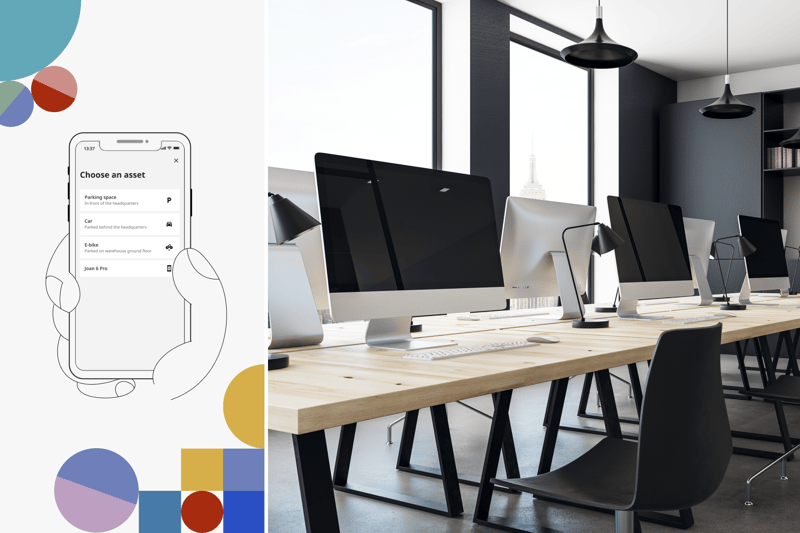
One map for every bookable resource
Joan's floor plan has always shown desks and meeting rooms. Parking spaces and assets — lockers, equipment, anything the company defines — are now on the map too. The result is a single view where every bookable resource type sits in its actual location, and employees can filter by type or availability and complete any booking without leaving the floor plan.
Before this, booking different resource types meant switching between separate flows: one place for rooms, another for desks, another for assets. That friction is gone. Green means available, red means taken. Tap a resource to see its schedule and book it, whether it's a standing desk, a parking spot, or a locker on the third floor.
The context this gives employees is something no dropdown list provides. Knowing which parking spot is closest to the entrance before you drive in is useful. Seeing where your team is sitting today lets you book the desk next to them rather than guessing. And when a room is on the map, "Meeting Room B" stops being an abstract name and becomes a specific place you can evaluate before committing.
Setting it up takes four steps. Admins upload an existing floor plan (PDF or CAD file) into the Joan portal, then drag and drop every resource type onto the map: desks, rooms, parking spots, lockers, anything the workspace has. Employees then tap any resource on the map to see availability and book. The floor plan can also run on a lobby screen so the whole office sees what's free at a glance. No additional hardware or extra cost.
What to look for when choosing a system
Any asset reservation system worth using should clear four bars:
Easy enough that employees actually use it. A booking system that requires training will not get used. The best ones are self-explanatory on first contact, accessible from a phone, and require no IT involvement for day-to-day bookings.
Cloud-based. Employees plan their office days before they arrive. A cloud-based system lets them check availability and book resources from home, on the commute, or from wherever they're working that morning.
Scalable to whatever the office has. The system should handle an unlimited number of asset types and quantities. A company that starts with parking spaces and desks should be able to add lockers, bikes, and projectors without hitting a ceiling or switching platforms.
Visual, so employees can book in context. A map of the office is more useful than a list of room names. When employees can see where an asset is before they book it, they make better decisions — about proximity, about layout, about what the day actually looks like. A floor plan view turns an abstract inventory into a usable picture of the office.

How Joan handles asset booking
Joan is an office management platform that covers meeting room bookings, desk reservations, parking and asset bookings, visitor management, and digital signage all from one tool. Companies can register anything as a bookable asset, from AV equipment to company bikes. There is no cap on asset types or quantities.
The floor plan feature brings all of those resources onto a single visual map. Admins place every resource type on the plan. Employees book directly from the map. The same floor plan can run on a wall-mounted screen in the lobby, giving the whole office a live view of what's available that day.
Start for free or book a demo to see how the floor plan booking works in practice.
Insights that keep your office running smoothly
Fresh content on productivity, space management, and the future of work. Perfect for managers, admins, and busy teams.
Join thousands of workplace professionals who already read the Joan blog. Unsubscribe anytime.