A university campus is full of life all year round. Spaces flip between lectures, exams, and study sessions within the same day, simulation labs run on precise timing, and libraries need to communicate without making a sound.
And yet the tools most universities rely on to manage all of this have not kept up with the demands. Printed schedules become outdated within hours, posters go unread, and digital content sits scattered across systems that do not talk to each other. E-paper displays and a centralized CMS close that gap without adding complexity.
Let’s see how.
The technology: two solutions, one connected campus
Joan Workplace, with its meeting room solution, handles room and space scheduling, letting students, faculty, and staff book rooms, view availability, and see real-time status from a display mounted outside any space with no cables, no drilling, and no IT support needed.
Additionally, Joan CMS handles content management across the campus, managing both e-paper displays and LCD screens from a single dashboard so universities with existing screens can bring everything under one system rather than starting from scratch.
Together, they give campus teams full control over how information moves through physical space, without needing a large team or specialist knowledge to keep it running.
7 ways Joan Workplace helps universities
Lecture halls and classrooms
An e-paper display mounted at the entrance of every lecture hall or classroom shows the current class, the upcoming session, and live room status without anyone having to manually update it. When schedules shift at the last minute, the display updates automatically. No swapping printed signs or confusion in the corridor.
Simulation and specialist labs
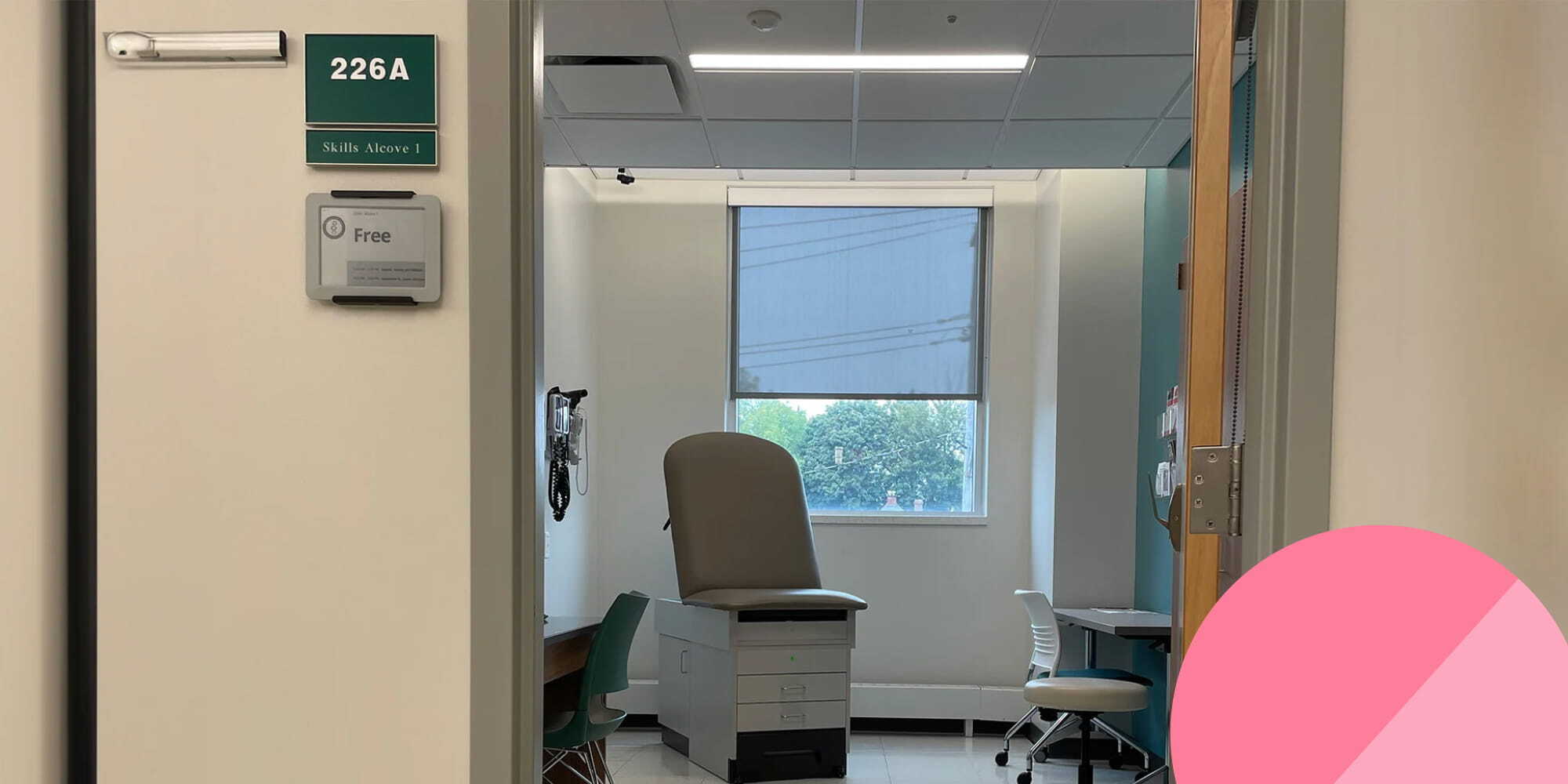
This is where Joan Workplace role goes well beyond standard room booking. At Binghamton University, the pharmacy skills lab runs timed medical simulations across eight rooms (alcoves) set up as doctor's offices. Each session is recorded. Timing is critical as students need to enter the right room at exactly the right moment.
A Joan display sits outside each alcove. Students arrive a few minutes early, wait until their name appears on screen, and enter at precisely the right time. And because Joan shows only the current student's name rather than the full session list, it protects the integrity of the simulation.
Students scheduled later cannot see who went before them or piece together details about the cases they are about to face.
"They don't need to wonder which one is the right alcove and when they need to enter. It's one less thing to worry about, which is especially helpful for our first and second-year students."
— Dr. Lynch
Current students at Binghamton now highlight Joan on campus tours as one of the pieces of technology most central to their learning experience. That kind of organic advocacy tends to happen when technology reduces stress rather than adding to it.
Study rooms and bookable spaces
Student demand for study rooms peaks at predictable times and drops unpredictably. An e-paper display outside each bookable space shows real-time availability and allows walk-up booking directly at the device.
Students see at a glance whether a room is free, reserve it without going to a separate portal, and the system updates immediately.
Hallways and wayfinding
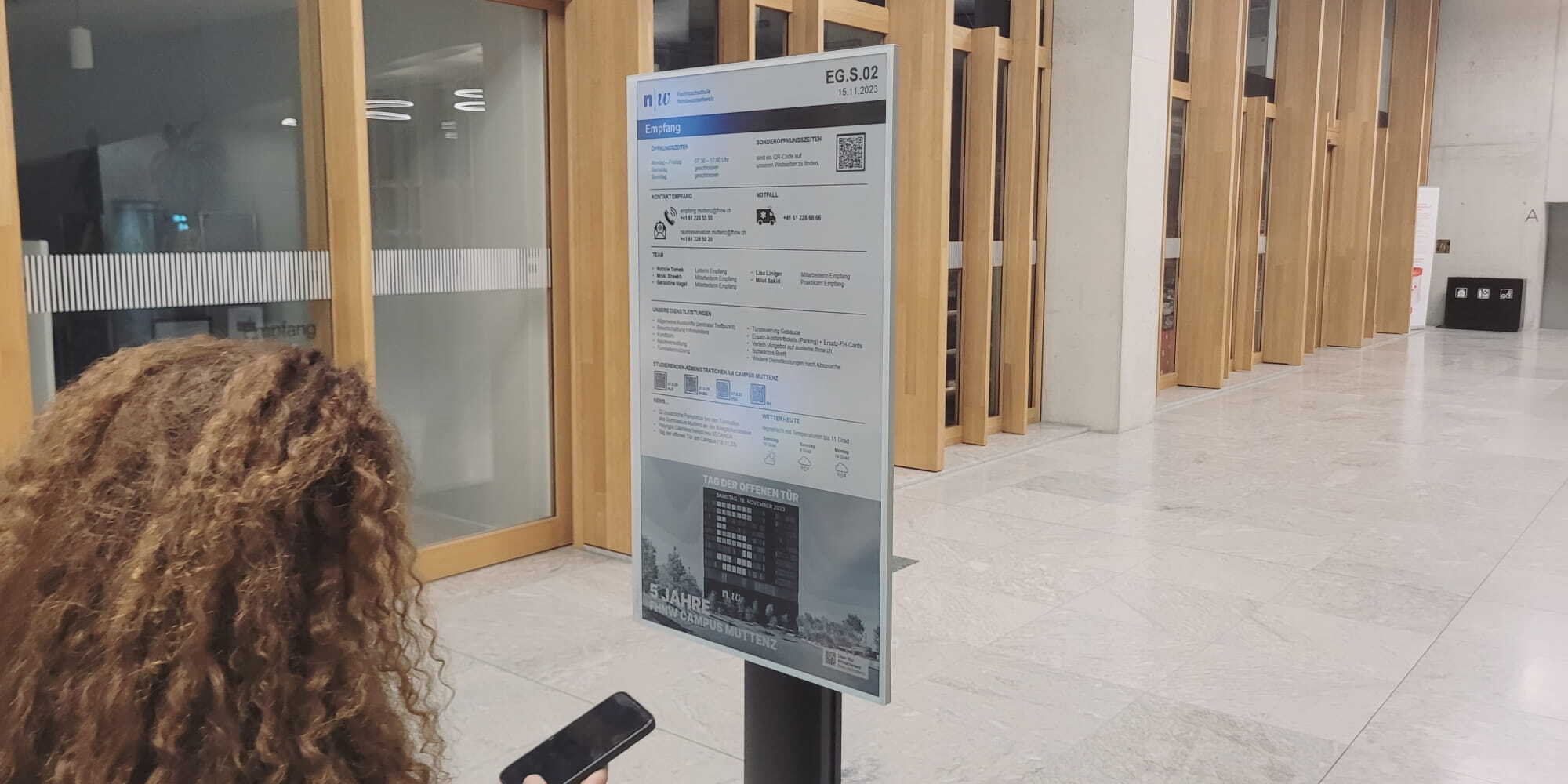
Large campuses with multiple buildings present a consistent navigation challenge, particularly for new students, visiting faculty, and guests attending events. E-paper displays mounted in hallways and at building entrances show floor plans, room directories, QR codes for deeper information, and real-time occupancy levels.
At the University of Applied Sciences Northwestern Switzerland, around 170 e-paper displays of varying sizes handle exactly this across campus, showing academic schedules, floor plans, and live room information without a single cable running through the walls. And the content is remotely updated from one place.
Faculty offices
A small e-paper display outside a faculty office communicates availability without requiring the faculty member to be present or respond to knocks. Office hours, meeting status, and scheduled availability update from the same calendar system the faculty member already uses. No extra training. No extra tool. The Joan 6 Pro mounts magnetically to any surface without drilling, which matters in heritage corridors and listed buildings.
Libraries
Libraries need communication that does not disrupt the environment. Backlit LCD screens in a quiet reading room introduce glare and visual noise. E-paper displays reflect light rather than emit it, making them readable in any ambient light without drawing attention. The Slovenian National and University Library, a UNESCO World Heritage building, chose e-paper displays specifically because they could communicate opening hours, collection information, and directional guidance without using the visually unpleasant LCDs. The devices can be relocated as easily as moving a picture frame, which matters in spaces where layout and use shift regularly.
Cafeterias and common areas
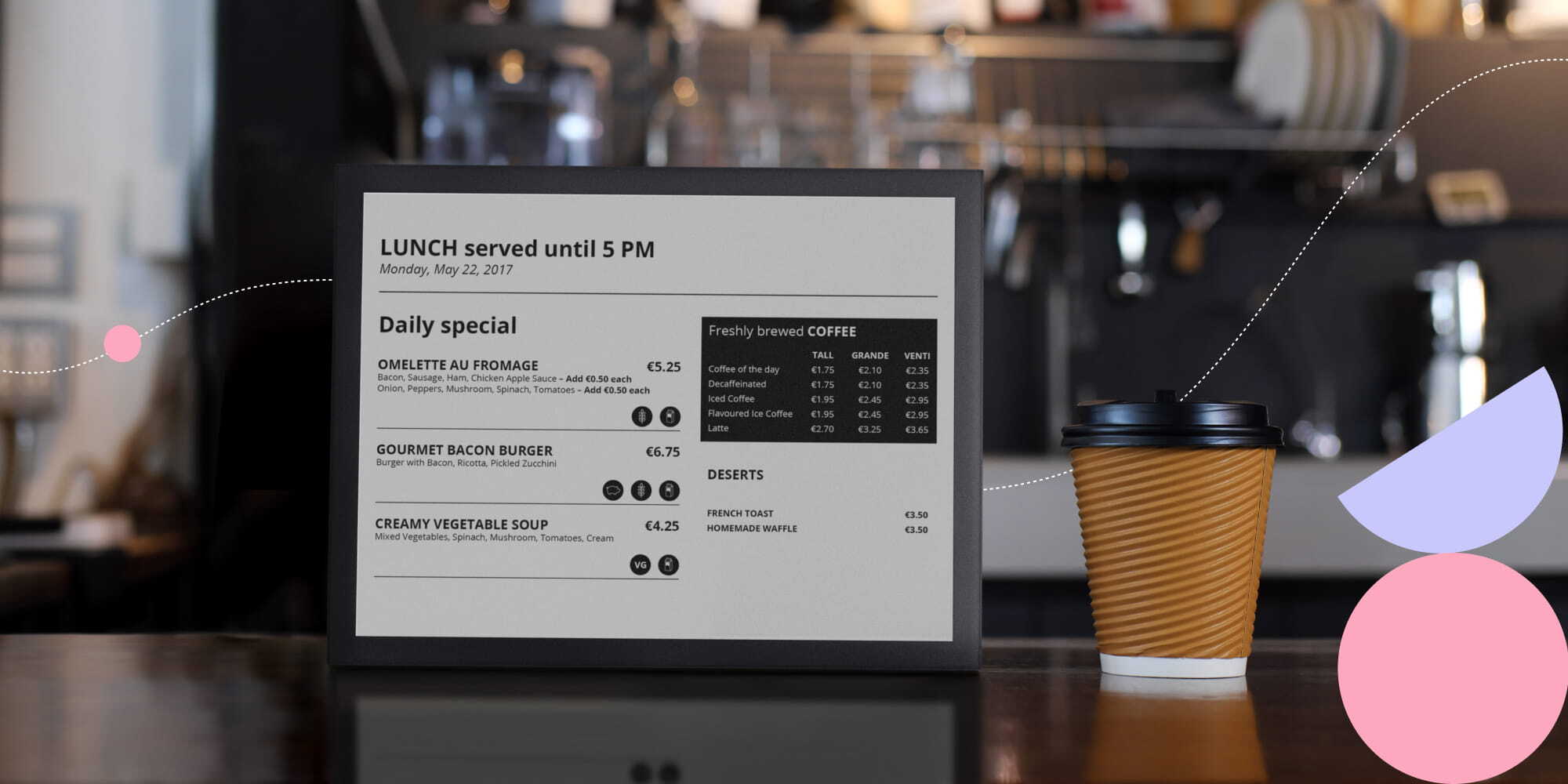
Cafeteria menus, daily specials, and dining updates can be managed through Joan CMS and pushed to LCD screens or e-paper displays without anyone visiting the screen. Common areas can carry event announcements, campus news, and rotating content scheduled in advance.
Why Joan Workplace for universities
Managing signage across a large campus used to mean either dedicating staff time to physically updating displays or maintaining separate systems for every building or department. Joan CMS manages e-paper displays and LCD screens from a single dashboard. Content can be scheduled in advance, pushed to specific screens or groups of screens, and adjusted in real time if something changes.
For universities, this matters in a particular way. IT teams are typically small relative to the size of the campus they support. Teaching assistants rotate every semester and faculty do not have time to learn new platforms for tasks they perform occasionally. Joan CMS solves this directly.
"Our teaching assistants are different each semester. We don't want to train them on how to use a brand-new platform they're going to use for a semester. But everyone knows how to use Google Calendar, so we just tell them to schedule student practice there and then the calendar gets synced with Joan. It's really easy and foolproof."
— Dr. Lynch, Binghamton University
Additionally, Many university buildings are architecturally significant, historically protected, or simply designed with care. Drilling holes and running cables through these spaces is either prohibited or inappropriate.
Joan e-paper displays mount magnetically, require no wiring, and can be installed in minutes. They run for months on a single charge, update automatically when content changes, and require no ongoing technical intervention.
At Binghamton University, the team's experience was direct: "You don't have to worry about Joan. It's not a technology that I need to spend time troubleshooting," noted Andrea Snyder, Skills Education Associate.
Ready to bring this to your campus
Whether you are managing a single faculty building or coordinating signage across a multi-site university campus, Joan Workplace is built to scale with you. The setup is straightforward, the hardware requires no infrastructure investment, and the system integrates with the calendar tools your teams already use.
Get in touch to find out which setup fits your campus.
Insights that keep your office running smoothly
Fresh content on productivity, space management, and the future of work. Perfect for managers, admins, and busy teams.
Join thousands of workplace professionals who already read the Joan blog. Unsubscribe anytime.